
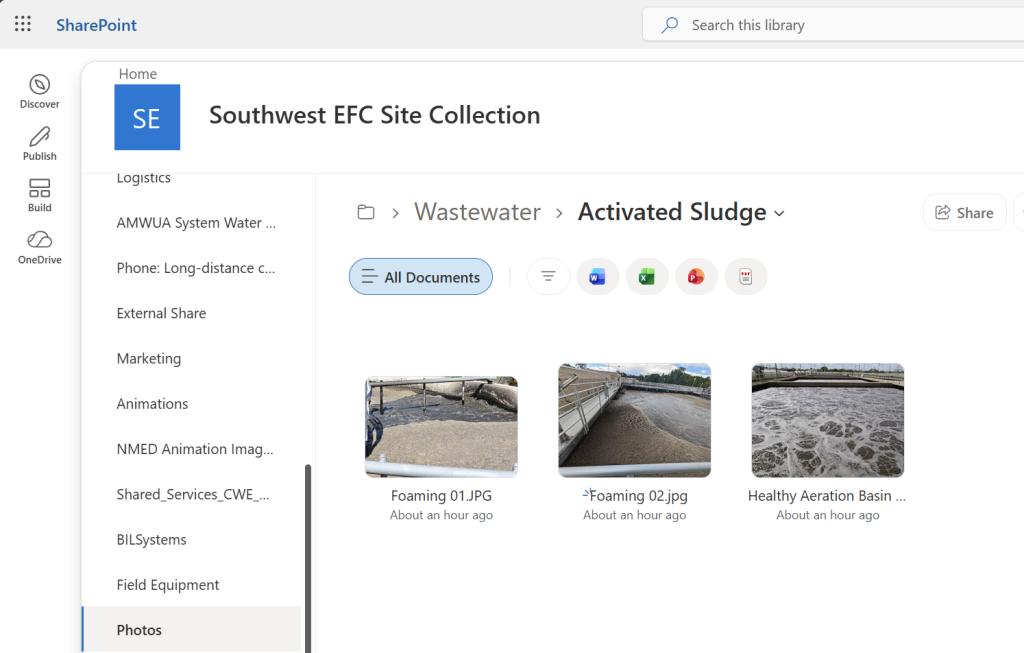
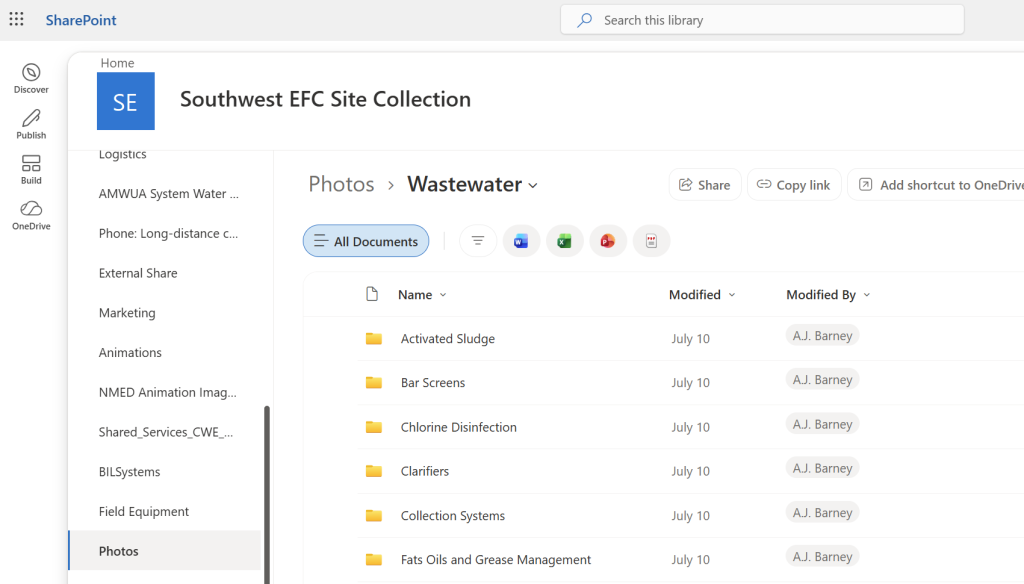
Staff responsible for uploading photos shall:
- Organize photos into the appropriate folder structure.
- Create new subcategories when necessary.
- Name photos according to the approved naming convention.
- Verify that photos follow the standards before uploading.
Procedure
Step 1. Select the Appropriate Category
Determine whether the photo belongs in one of the primary categories:
- Water
- Wastewater
Step 2. Select or Create a Subcategory
Place the photo into the appropriate subcategory.
Examples include:
Water
- Wells
- Storage Tanks
- Distribution
- Valves
Wastewater
- Activated Sludge
- Clarifiers
- Lagoons
- Pumps
- Clarifiers
If an appropriate subcategory does not exist, create one using the asset type as the folder name.
Step 3. Name the Photo
Name each photo using the following format:
Asset Name – Optional Descriptor – Sequential Number
Examples:
- Clarifier
- Clarifier Corrosion
- Clarifier Corrosion 01
- Clarifier Corrosion 02
- Pump Motor
- Pump Motor Leak
- Lagoon Algae
Step 4. Add Sequential Numbers
When multiple photographs show the same asset or condition, append a two-digit sequential number.
Example:
- Pump 01
- Pump 02
- Pump 03
Do not use duplicate filenames within the same folder.
Step 5. Review Before Upload
Verify that:
- The photo is stored in the correct category.
- The correct subcategory has been selected.
- The filename accurately identifies the asset.
- Any condition descriptor is concise and meaningful.
- Sequential numbering has been applied when appropriate.
Naming Standards
Use
- Descriptive asset names
- Consistent terminology
- Two-digit numbering (01, 02, 03…)
Avoid
- Generic names (Image1, DSC0001, Photo)
- Unnecessary abbreviations
- Long descriptive sentences
- Special characters
Quality Standards
Photos should:
- Be placed in the correct folder.
- Be easy to locate using the filename.
- Follow the approved naming convention.
- Maintain consistency with existing media.